
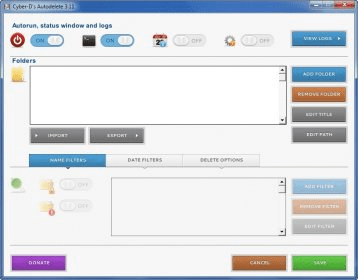
Cyber-D's Autodelete is an automatic file management tool. It allows you to automatically delete files and folders on your hard drive. You can set a variety of filters that tell the application what types of files and folders to delete and how to delete them.
The first step is adding a folder that the application will monitor. There doesn't seem to be a limit on the number of folders that you can add. When you add a folder, you can enable the filtering options. These filters aren't really advanced, you simple tell the app to not erase folders that contain a text string or a particular file extension or to only remove those.
Then, Cyber-D's Autodelete asks you when to delete the files. By default, this tool will delete all files that were last modified 30 days ago, but you can change the number of days and you can also change "modified" for created, accessed or created and modified. You can also have the application send the files to the trash or move them to a folder. The more interesting feature is that you can choose to secure delete the files so that no one will be able to recover them using file recovery tools.






Comments